
Login: How Account Access Works

Signing in sounds trivial, and for most people most of the time it is. The interesting cases are the ones that go wrong: a session that expires at the wrong moment, a password that worked yesterday, a verification step that appears without warning. Understanding how access actually works turns those moments from a mystery into a short checklist.
This guide describes the ordinary flow and the parts of it that deserve your attention. It does not cover recovery in detail, because that deserves its own treatment, and it does not pretend that any of it changes what happens to a bet. Access is a gate, and gates are worth understanding.
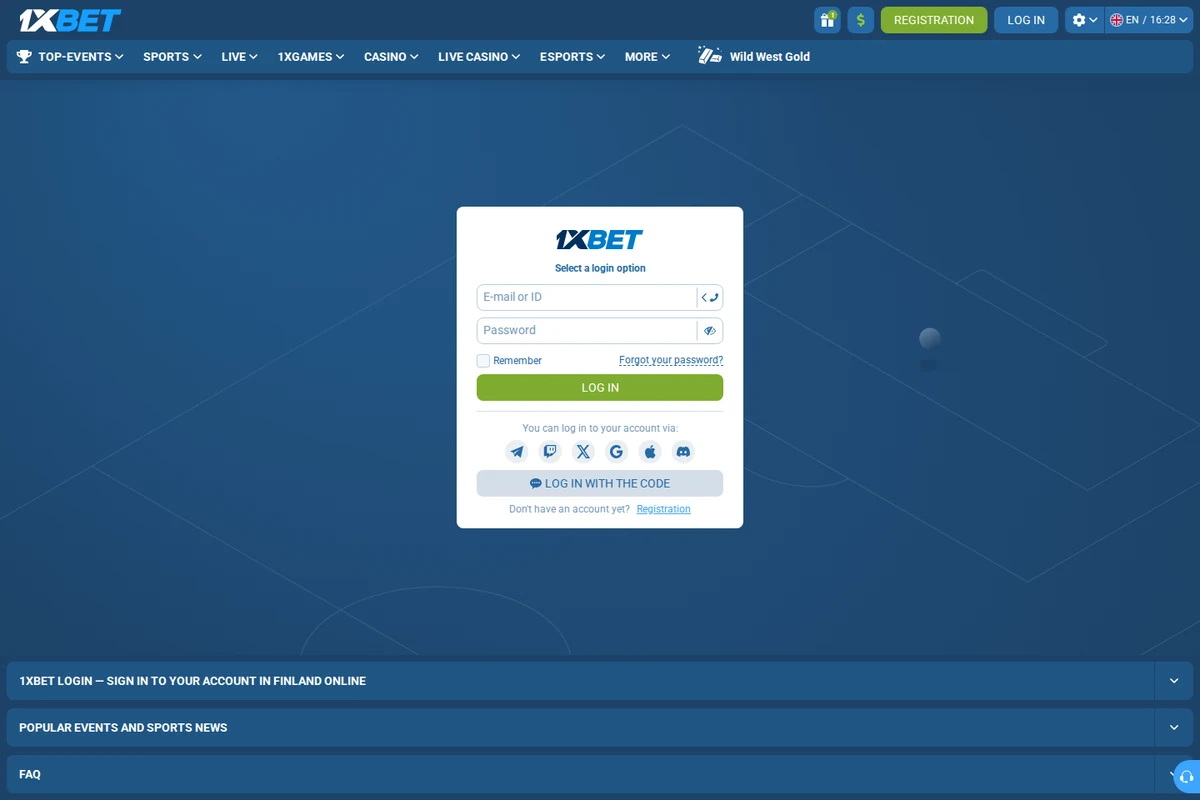
What the sign-in screen asks for
The screen itself is minimal by design: an identifier and a secret. The identifier is usually an email address, a phone number or a short username, and the secret is a password. Some providers add a visual challenge or a second factor at this point. Everything else that governs your account sits behind the door rather than in front of it.
A login screen is a doorway, not a room. Everything that matters - your balance, your limits, your history - sits behind it, which is exactly why the doorway deserves more attention than it usually receives. Treating sign-in as a formality is how people end up reusing a weak password on an account that handles money.
How a session is created and kept
Once the credentials are accepted the provider issues a session, which is a temporary permission to act without repeating the password. That session lives on your device and expires after a period of inactivity or a fixed duration. This is why revisiting a page sometimes asks you to sign in again, and it is a protection rather than a fault.
The credentials you use are the weakest point in any account, because they are the only part an attacker can guess. A long passphrase that you do not use anywhere else defeats more attacks than any security feature the provider adds, and it costs nothing except the effort of choosing it once and remembering it properly.
- Use a long passphrase you do not use anywhere else.
- Expect sessions to expire and treat that as protection.
- Review the list of active sessions from time to time.
- Read verification prompts as information, not inconvenience.
- Sign out deliberately on any device you share.
Signing in across several devices
Modern accounts are usually reachable from several devices at once, which is convenient and demands a little discipline. Each device holds its own session, so each is its own door into the account. If one of them goes missing, the session on it remains valid until it expires or is explicitly revoked.
Public networks change the question. On a shared connection you cannot see who else is listening, and an unprotected wireless network is a place where ordinary traffic can be read. A mobile connection or a network you control is a better place to sign in than the free option offered by the venue you happen to be in.
Verification steps you may meet
Verification steps appear for a reason, usually because the provider has decided that something about the sign-in looks unusual. A new device, an unfamiliar location or a rapid series of attempts can all trigger an extra check. Treat the interruption as information: it means the system noticed something, and it is worth asking what.
Devices accumulate sessions. A phone replaced last year, a tablet in a drawer, a work laptop that has since been handed back - each may still hold an active session on your account. Reviewing and revoking those sessions periodically closes doors you had forgotten were open at all.
| Step | What happens | What to check |
|---|---|---|
| Identifying | You enter an email, phone or username | That it is the account you intend to use |
| Authenticating | A password and possibly a second factor | That the factor is yours and current |
| Session created | The device is trusted until expiry | Which devices currently hold a session |
Expired sessions and automatic sign-out
Automatic sign-out is the feature people complain about and would miss if it disappeared. It limits how long an unattended device remains usable, which matters a great deal on a shared computer and rather less on a handset that never leaves your pocket. Knowing the timeout lets you plan around it instead of being surprised by it.
Support conversations are a favourite target of fraud, because support staff are expected to be helpful. A genuine team never needs your full password, your card number or a code sent to your phone. Anyone who asks for those things is not helping you, however convincing their message looks.
Reviewing who has access
Most providers keep a list of active sessions with the device and the last activity shown. That list is the closest thing to a guest book for your account, and reading it occasionally is one of the cheapest security habits available. Anything you do not recognise deserves a closer look and a prompt revocation.
Session expiry is a feature rather than an annoyance. Being signed out after a period of inactivity limits the damage if a device is lost or borrowed, and it is worth understanding how long the provider allows before you decide to tick a box that keeps you signed in indefinitely.
Account access is a short process wrapped in a few decisions that matter more than they appear. Choose credentials carefully, expect sessions to end, and look at the guest list occasionally. None of this improves your chances on any market, and none of it is a substitute for the limits you set yourself. This guide is informational, intended for adults aged 18 and over, and it takes no deposits and pays no winnings.
Read next
Password Reset and Recovery Explained
What a reset really changes, how recovery questions work and how to avoid lockouts.
Two-Step Verification for a Betting Account
What the second factor adds, where the codes come from and the usual mistakes.
Login Problems: A Troubleshooting Checklist
Wrong password, expired session, blocked device — work through it in a sensible order.